MXC301_BRO
7/8
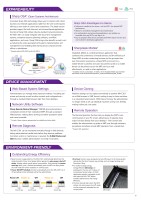
Sharp OSA-enabled MFPNetwork application screen Application/server on Internet or cloudApplication/serveron intranetOffPower onPower off9:00Start of day12:00Lunch breakOffPower on13:0017:00End of day• Based on prior usage patterns, the MX-C301 automatically determines the optimal length of time to let elapse before going into auto power shut-off mode, helping reduce overall power consumption. And pressing the power save key after a job is nished immediately puts the MFP into auto power shut-off mode for further cutbacks on running costs. • Power ON/OFF Schedule function automatically turns the MX-C301 on or off according to time schedules set by the administrator.• Eco Scan function saves energy by turning off power to the fusing system during jobs that don’t require any printing, such as Image Sending and Document Filing. • For further energy savings, energy-efcient LED lamps are employed in the scan unit in place of conventional xenon lamps. An ASIC (application-specic integrated circuit) also helps the MX-C301 deliver excellent performance and energy efciency. • The time interval after which the MFP will go into auto power shut-off mode can be temporarily extended via the control panel.Outstanding Energy EfciencyDEVICE MANAGEMENTENVIRONMENT-FRIENDLYAdministrators can manage every important setting—including user access and security as well as other controls and congurations—through a standard Web browser right from their desktops.Web-Based System SettingsMachine settings can be copied conveniently to another MX-C301 via a Web browser in XML format, making it easy to clone machines in a networked environment. With Device Cloning, the administrator no longer needs to set up individual machines one by one, thereby making his/her job a lot easier.Device CloningThe Remote Operation function lets you display the MFP’s main control panel on your PC screen, allowing you to operate every major function directly from your desktop.* This function also enables the administrator to guide an MFP user through necessary procedures and allows remote MFP operation from a wheelchair. * Requires VNC application.Remote OperationSharp Remote Device Manager* (SRDM) gives administrators centralised control of their networked MFPs through a standard Web browser, making device cloning and other operations easier and more accessible.* Contact a Sharp customer representative for availability and other details.Network Utility SoftwareThe MX-C301 can be monitored remotely through a Web browser, letting administrators handle tasks before they become problems. And when action or maintenance is required, the E-Mail Status and Alert function noties administrators via timely e-mail alerts.Remote DiagnosisLED lampsEXPANDABILITYSharp OSA* (Open Systems Architecture)Innovative Sharp OSA technology allows you to interact with critical business and network applications right from the LCD control panel, offering a new realm of control and convenience. The latest version provides support for both Internet- and intranet-based applications. And since Sharp OSA utilises industry-standard network protocols, the MX-C301 can easily integrate with document management systems, enterprise resource planning software, workow applications, and more. Sharp OSA brings other benets as well, such as reducing the costs associated with system implementation and management and enabling data sharing across company branch ofces or subsidiaries. * Requires optional MX-AMX2 and/or MX-AMX3.: Scan: PrintSharpdesk Mobile*Sharp OSA Advantages at a GlanceSharpdesk Mobile is a mobile print/scan application that combines the convenience of mobile devices and the efciency of Sharp MFPs to make conducting business on the go easier than ever. Documents scanned on a Sharp MFP can be sent to a mobile device to preview and save. Documents saved on a mobile device can be printed out on the MFP, sent as e-mail attachments, or used in other applications.* Availability varies by country/region. For details, see the Sharpdesk Mobile support website: https://global.sharp/products/copier/docu_solutions/mobile/sharpdesk_mobile/• Software is installed on the server—not the MFP—for optimal MFP performance • Allows for centralised management and maintenance • For authorisation and accounting applications, user proles are accessible from any MFP a user logs in to • Easy-to-program Web services and Microsoft®.NET reduce the time and cost involved in developing applications6
元のページ