MX-3114_2614N_BRO
6/12
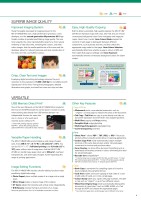
: Fax: ScanDesktopSuper G3 faxClient PCsInternetNetwork folderExternal memoryE-mailInternet faxFTP serverScanDocumentScan toA3 Colour Network ScanningThe MX-3114N/2614N works as a full-colour network scanner and supports TIFF, PDF, encrypted PDF, XPS, JPEG, and PDF/A file formats. Converting any type of paper-based document, up to A3 (11" x 17") in size, into an editable digital file is as easy as making a copy. Enhanced scan performance improves the legibility of extremely fine text and allows vivid colour reproduction in scanned documents. And Auto Colour Selection chooses the right mode for scanning originals containing both colour and B/W pages (see page 4).Multiple Distribution of Scanned FilesWith the touch of a few on-screen buttons, you can choose different ways to distribute your scanned documents. Scan to E-mail sends documents as an e-mail attachment. Scan to FTP Server scans documents directly to an FTP server for storage. Scan to Desktop sends scanned documents directly to your PC desktop. Scan to Network Folder (SMB) sends files to a shared folder on a networked Windows PC. Scan to USB Memory scans documents directly to USB memory devices. And Scan to Fax enables conventional faxing or Internet faxing.Quick ScanningFor both colour*1 and B/W documents, the MX-3114N/2614N carries out scanning at 50 opm*2 (originals per minute) and can complete large scan jobs with ease and efficiency. *1: Faxing is available in B/W only. *2: Single-side scanningHigh-Speed FaxingThe optional MX-FX11 Fax Expansion Kit turns the MX-3114N/2614N into a 33.6 Kbps Super G3 fax machine. Quick On-Line Transmission initiates dialling and transmitting as soon as a page is scanned into memory. JBIG compression technology lets the MX-3114N/2614N send an A4 (8 1/2" x 11") size page in under three seconds*. And using the 100-sheet RSPF gives faxing efficiency a further boost. Incoming faxes are also handled with automated ease. The number of copies to be made can be specified on the LCD control panel’s Fax Output setting, and optional finishing options can be installed for automatic stapling of those copies.* Based on Sharp’s standard chart with approximately 700 characters (A4 or 8 1/2" x 11" long-edge feeding) at standard resolution.PC-Fax/PC-Internet FaxDirectly send a document created on your PC to a recipient’s fax machine via a phone line or the Internet without printing to paper. Save time and paper costs while retaining original document quality.Note: PC-Internet Fax requires optional MX-FWX1; PC-Fax requires MX-FX11. Internet FaxEconomically send and receive faxes to and from other ITU-T T-37-compliant Internet fax machines via the Internet. The MX-3114N/2614N supports Direct SMTP; outgoing Internet faxes do not go through your mail server, making transmission faster and cheaper. Note: Requires optional MX-FWX1.Paperless Faxing with Inbound RoutingPaperless faxing with inbound routing lets you check incoming faxes via e-mail before printing. It can also forward incoming faxes to another fax/Internet fax machine, an FTP server, a network folder (SMB), or a PC desktop. Files can be saved in either PDF or TIFF (single/multi). Skip Blank Page FunctionWhen scanning and sending a multi-page document, the MX-3114N/2614N automatically recognises and skips over any pages without content, reducing both data size and transmission time. 5LDAP SupportBuilt-in LDAP (lightweight directory access protocol) support eliminates the need to enter or register full addresses. By entering the first few letters of the recipient’s name, the MX-3114N/2614N displays a list of possible matches from your company’s LDAP server. Selected addresses can be stored to the MX-3114N/2614N’s address book.IMAGE SENDINGOther Key FeaturesScan & Fax• One-touch auto dial keys register up to 1,000 numbers for frequently used destinations• Broadcast transmission to up to 500 destinations• Program keys (up to 48 keys) are available to set up frequently used transmissions for instant recall• Easy text entry* lets you enter addresses, file names, subject titles or messages from the LCD control panel* Only addresses can be entered for faxing. • Mixed size original scanning automatically distinguishes documents of mixed sizes fed through the RSPFFax• Duplex transmission/reception sends and prints out two-sided documents • SD memory card backup ensures documents remain safely backed up in memory, even in the event of a power failure• Rotation transmission/reception rotates incoming and outgoing faxes to match the direction of the printing paper• Fax destination confirmation allows users to reconfirm fax numbers before sending to prevent transmission errors
元のページ