
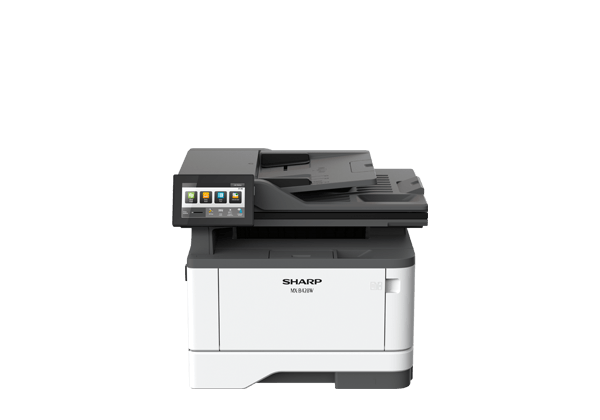
MX-B428W
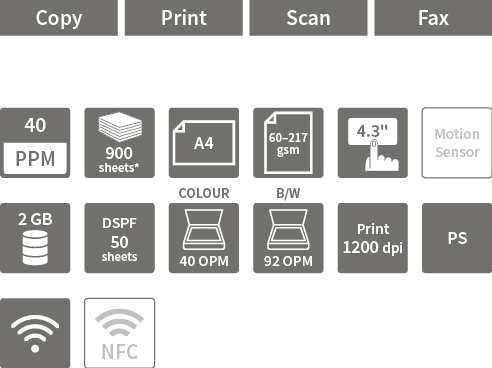
- *Using 75 gsm paper.


Key Features
- Solid Security
- A range of security features help to keep your information safe—whether in a document, on the device, or over your network. The Trusted Platform Module (TPM) is an industry-standard chip that uses cryptoprocessor technology to protect hardware such as MFP hard drives. It provides authentication, system integrity checks, and advanced encryption. As well as improving security for certificates and encryption keys, TPM adds extra protection by storing hard drive encryption keys separately from your data.
- Embedded Solutions
- eSF (Embedded Solutions Framework) allows users to accomplish a variety of tasks from the MFP through an intuitive Java-based platform. It boosts productivity by streamlining paper-intensive work processes.
- Cloud Service Connectivity
- Directly from its control panel, the MFP can connect to popular cloud services, such as Microsoft Teams and Google Drive™. You can easily print from the cloud or scan and upload to it.
- Wireless LAN Connections
- Enjoy greater flexibility with built-in wireless connectivity that supports IEEE 802.11 a/ac/b/g/n standards. Easily connect from mobile devices and place the MFP wherever it suits your workspace. The MFP also supports Wi-Fi Direct® for peer-to-peer connection with compatible PCs and mobile devices.
- Mobile Printing
- Print directly from Apple devices with built-in AirPrint support—no printer driver needed. The MFP also supports Apple iBeacon, allowing your AirPrint-enabled device to automatically detect and connect to the MFP, even if it’s not on the same subnet.
- Space-Saving Design
- With its small footprint*1 of 412 × 361 mm, this MFP will easily find a niche in your SOHO or larger office. Simply place it on a desk, under a counter, or anywhere that space is limited.
- Easy-to-Use Interface
- Operating the MFP is easy and intuitive with the full-flat 4.3-inch colour LCD touchscreen. In Easy UI mode, the touchscreen displays simple icons for frequently used functions. And with the optional Preview function*2, you can check the finish of a print or scan job in advance.
- Front USB Port
- At the front of the MFP is a USB port for printing directly from or scanning directly to a USB drive—perfect when you need quick access without a PC.
- Quick Scanning
- The MFP’s DSPF (duplex single pass feeder) scans both pages of two-sided documents in one pass—in batches of up to 50 sheets. With a scanning speed of up to 46 opm*3 (one-sided) or 92 opm*3 (two-sided), the MFP can finish large projects with ease and efficiency.
- OCR
- Optional OCR (optical character recognition) capability*4 on the MFP lets you convert a scanned document into a searchable PDF file or into an editable Office Word or Excel file.
- Device Management
- Sharp Remote Device Manager (SRDM)*4 gives administrators centralised control of their networked MFPs and printers. This software covers system setup, security settings, troubleshooting, and more.
- *1: Base unit only.
- *2: Requires optional Intelligent Storage Drive.
- *3: Originals per minute; when feeding A4 sheets in B/W.
- *4: Contact a Sharp customer representative for availability and other details.