


 検索
検索よくあるご質問
質問
What settings do I need to set up after installing a printer driver ? (FAQ No.01207)
回答
When you installed a printer driver, you need to configure the driver to accommodate installed trays and finisher etc. to the machine. Normally, this setup is automatically set at the installation of a printer driver to accommodate MFP’s optional device configuration. When you unchecked [Auto Configuration] or change the settings, please follow the procedure below.
The following procedure takes MX-3650FN as an example.
You can configure the settings automatically or manually.
Please set up manually if you use IPv6 for a network connection or when Auto Set does not work properly.
Procedure for Auto Set
1. Open [Printer Properties].
2. Show Configuration.
Click the [Configuration] tab.
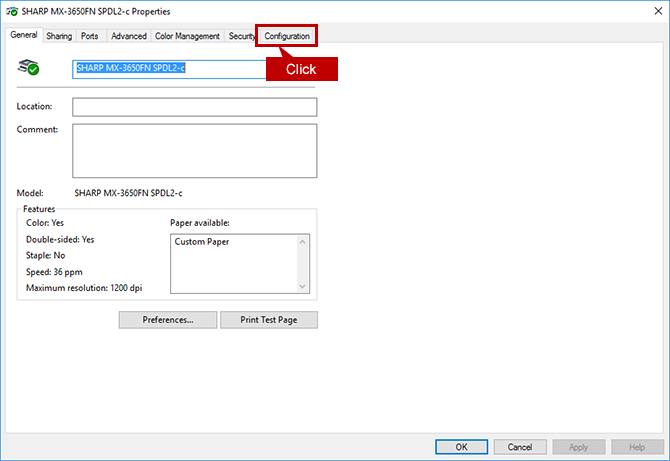
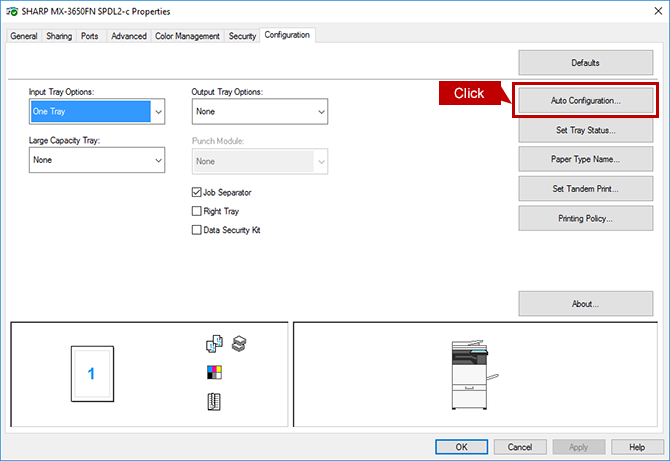
3. Start Auto Configuration.
When you click the [Auto Configuration] button, the setting update begins automatically.
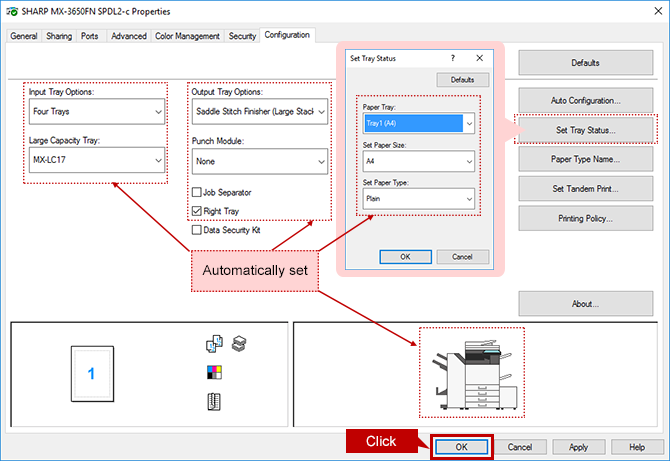
4. Update Machine Image (configuration).
Check each item that automatically updated then click the [OK] button.
Procedure for Manual Setting
1. Open [Printer Properties].
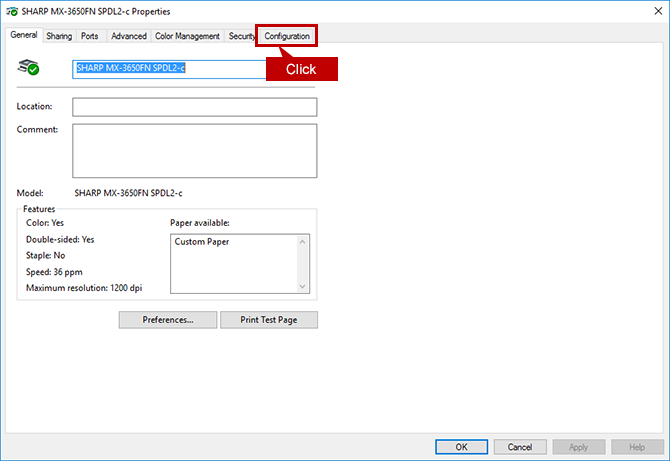
2. Show Configuration.
Click the [Configuration] tab.
3. Configure the Settings for Paper Feeding/ Exit Options etc.
For the settings of Paper Feeding/ Exit Options etc., you should check the installed options by sight.
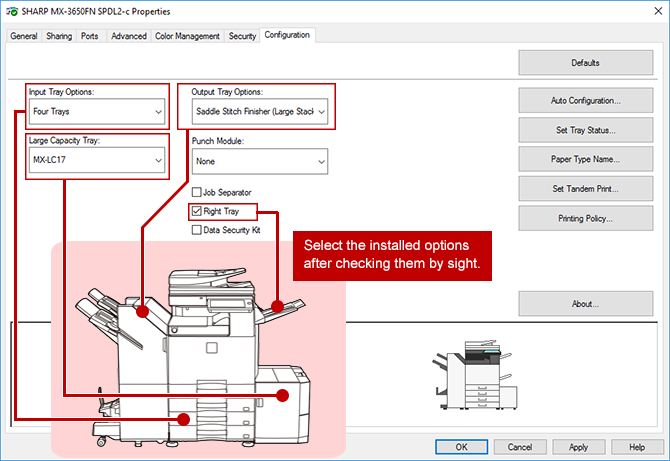
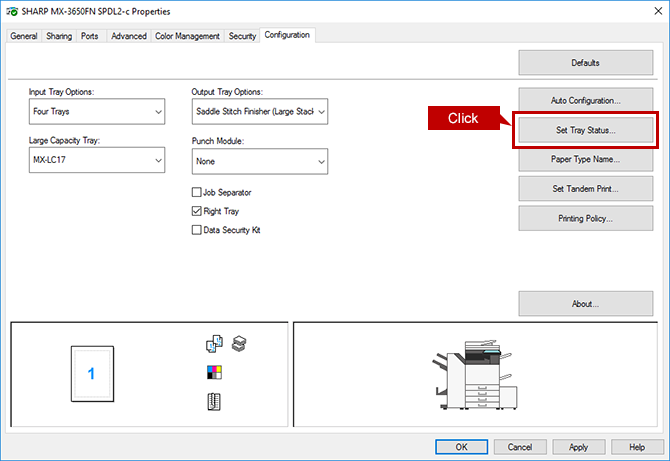
4. Set Up the Tray(s).
Click the [Set Tray Status] button.
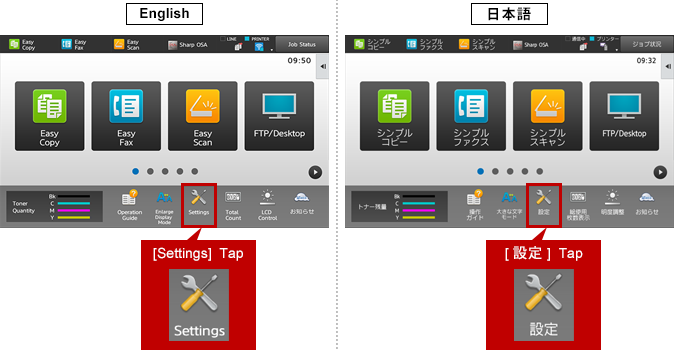
5. Check the Tray Settings on the Touch Panel.
Check the tray settings on the operation panel.
Tap the [Settings] key on the operation panel.
◎ Reference Information
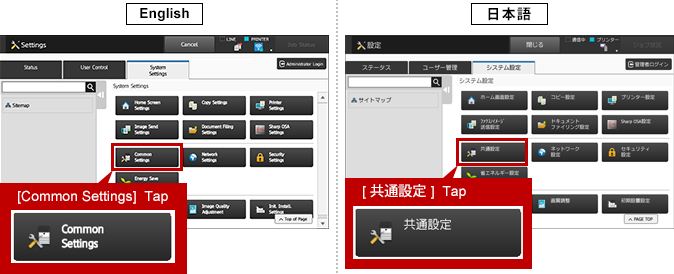
Want to change the display language for the Operation Panel and the Control Screen on the Web.6. Open [Common Settings] page.
Tap [Common Settings].
7. Open the [Paper Tray Settings] Page.
Tap [Paper Tray Settings].
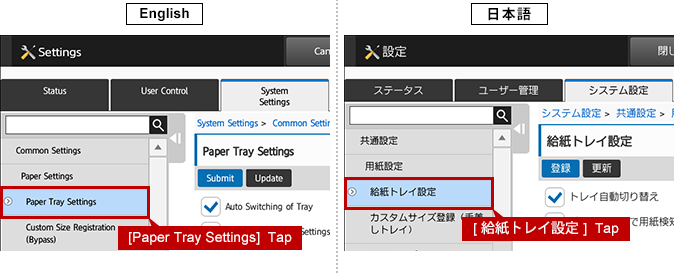
8. Register the Settings to [Tray Settings].
Looking up all settings information and copy the settings to the tray settings of [Printer Properties].
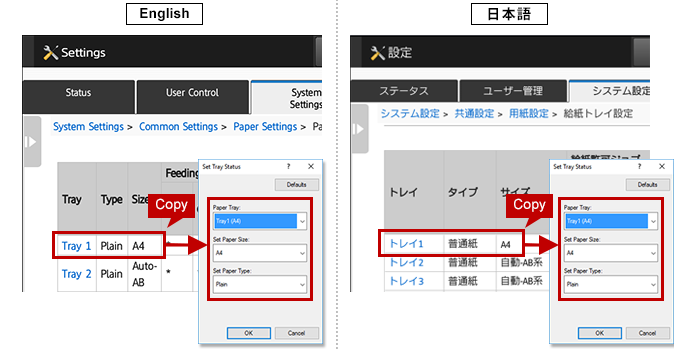
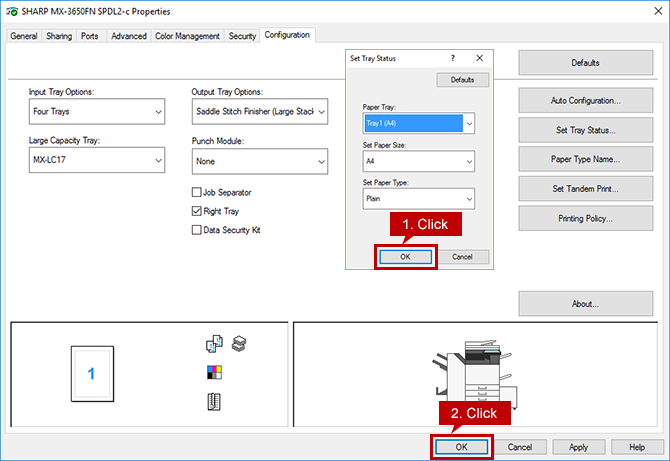
9. Complete the Setup.
Click the two [OK] buttons to complete the setup.
関連キーワード
Printer Driver / Driver / Install / Set up / Settings / Configuration / Tray / Auto Set / Manual setting / Windows
各製品のよくあるご質問トップに戻る
MX-2630FN / MX-2650FN / MX-2650FV / MX-3150FN / MX-3150FV / MX-3630FN / MX-3650FN / MX-3650FV / MX-4150FN / MX-4150FV / MX-4170FN / MX-4170FV / MX-5150FN / MX-5150FV / MX-5170FN / MX-5170FV / MX-6150FN / MX-6150FV / MX-6170FN / MX-6170FV / MX-B455W / MX-M4070 / MX-M5070 / MX-M6070 / MX-M6570 / MX-M7570更新日:2018年9月14日