


 検索
検索よくあるご質問
質問
How to look up IP address of MFP ? (FAQ No.01926)
回答
You can find MFP’s IP address by checking [Settings] > select [Status] tab > [Network Status].
The following procedure takes BP-70C26 as an example.
If you want to change the display language for the Operation Panel and the Control Screen on the Web, see the related information below.
◎ Reference Information
Want to change the display language for the Operation Panel and the Control Screen on the Web.Check IP address by [Network Status].
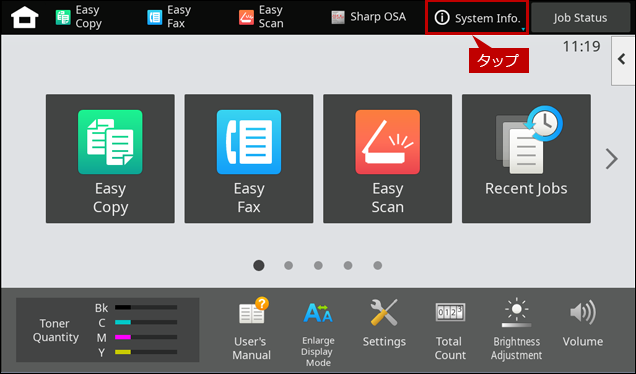
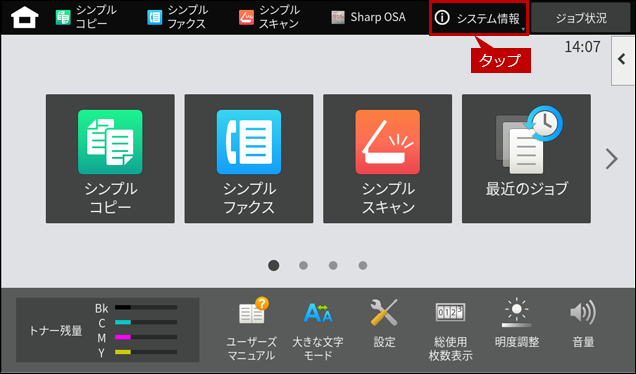
1. Tap the [System Info] key on the Home Screen.
English
Japanese
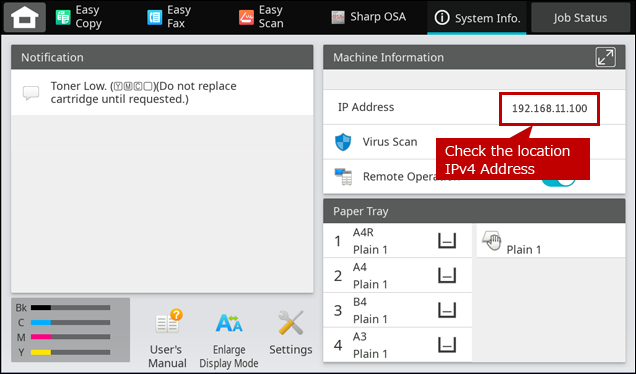
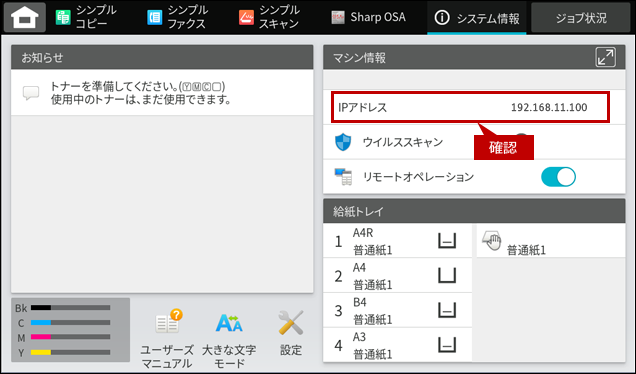
2. Check the location IPv4 Address
English
Japanese
Checking the Internet Connection to MFP.
1. Type in the IP address wrote down earlier in the URL Address Bar of a browser.
Example IP Address : 192.168.11.100
Example browser : Microsoft Edge

◎ When the login screen appears.
Please inquire the administrator of the MFP If you do not know the password.Please refer to the user's manual for the factory default password.
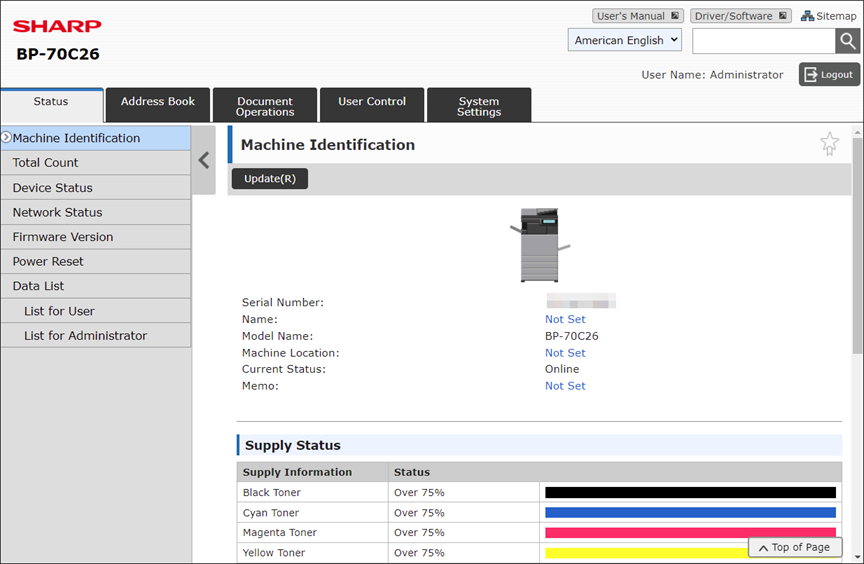
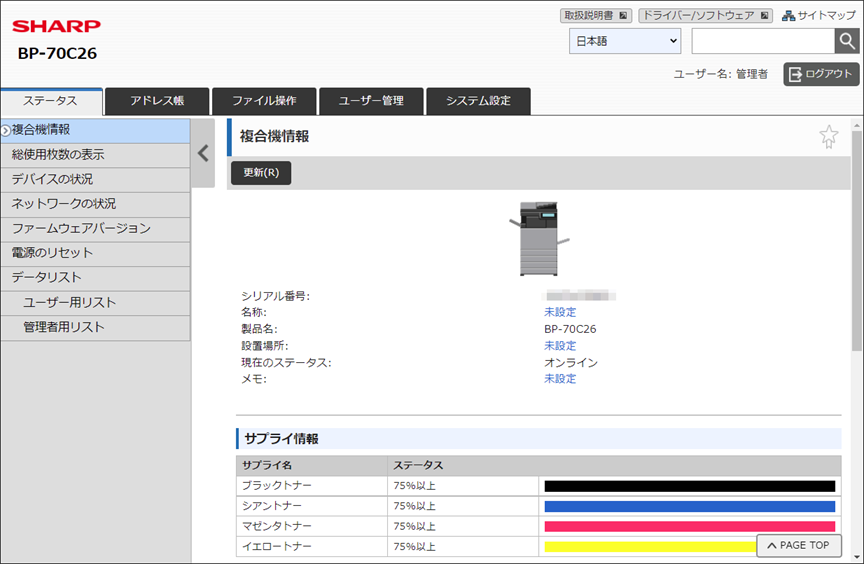
2. Please check the establishment of connection to the MFP. If you see the page image below, you have established successfully a connection to the MFP.
English
Japanese
関連キーワード
FAQJPID_01926 / IP address / TCP IP / Settings / System Settings / Checking Status
各製品のよくあるご質問トップに戻る
BP-40C26 / BP-40C36 / BP-50C26 / BP-50C31 / BP-50C36 / BP-50C45 / BP-50C55 / BP-50C65 / BP-50M26 / BP-50M31 / BP-50M36 / BP-50M45 / BP-50M55 / BP-50M65 / BP-51C26 / BP-51C31 / BP-51C36 / BP-51C45 / BP-51C55 / BP-51C65 / BP-51M26 / BP-51M31 / BP-51M36 / BP-51M45 / BP-51M55 / BP-51M65 / BP-55C26 / BP-56C26 / BP-60C26 / BP-60C31 / BP-60C36 / BP-60C45 / BP-61C31 / BP-61C36 / BP-61C45 / BP-70C26 / BP-70C31 / BP-70C36 / BP-70C45 / BP-70C55 / BP-70C65 / BP-70M31 / BP-70M36 / BP-70M45 / BP-70M55 / BP-70M65 / BP-71C31 / BP-71C36 / BP-71C45 / BP-71C55 / BP-71C65 / BP-71M31 / BP-71M36 / BP-71M45 / BP-71M55 / BP-71M65 / BP-80C70 / BP-80C80更新日:2026年5月29日