Sharp OSA (Open Systems Architecture) is an architecture
that directly links the machine to software applications for work
(external applications) over a network.
When you use a machine that supports Sharp OSA, you can link
controls on the operation panel and device functions such as scan
send to external applications.
Sharp OSA enables you to
link this machine with standard applications. Set a standard application
in "Settings (administrator)" and "Sharp OSA".
Tap the [Sharp OSA] key in the Home screen.
If no standard applications have been stored, the key cannot be tapped.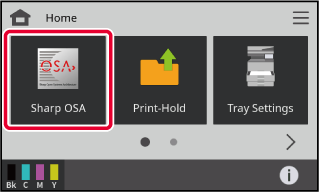
Select a standard application.
If two or more standard applications have been stored, the screen for selecting a standard application will appear. Tap the standard application that you wish to use.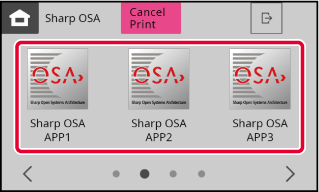
Connect the machine to the standard application.
The message "Connecting to the external application." appears while the machine communicates with the standard application.Version 06a / bpc131pw_usr_06a_en

