IMAGE SEND SEQUENCE
First, to place the machine in a desired image send
mode, tap the appropriate icon in the Home screen.
SWITCH TO HOME SCREEN
Place the original.
Place the original in the document feeder tray of the automatic
document feeder, or on the document glass.
AUTOMATIC DOCUMENT FEEDER
DOCUMENT GLASS
Enter the destination.
Tap the address key to directly enter the destination,
or search and retrieve the address book or destination.
RETRIEVING A DESTINATION FROM AN ADDRESS BOOK
USING A TRANSMISSION LOG TO RESEND
RETRIEVING A DESTINATION FROM A GLOBAL ADDRESS BOOKSelect functions.
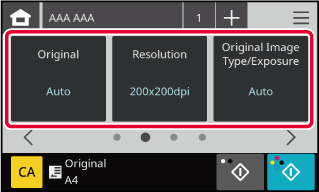
Specify the original scan size, exposure, file format,
and other items.
If necessary, you can refer to the following functions
for the setting.
AUTOMATICALLY SCANNING BOTH SIDES OF AN ORIGINAL (2-SIDED ORIGINAL)
CHANGING THE RESOLUTION
CHANGING FORMAT IN SCANSend the original.
Tap the [B/W Start] or [Colour Start]
key.
- When the original is placed on the
document glass, repeat the placing original and transmission procedures
until all originals have been sent. After scanning all originals,
tap the [Read-End] key.
- When no
original size is specified
When "Not
Specified" is set in the "Original Size Settings" in system settings,
the [Start] key cannot be tapped.
- When an encrypt PDF is selected, enter
the encryption level and password on the encrypt PDF settings screen.
Encrypt PDF settings